Podcast teams
Turn a strong exchange into a captioned social cut with a visual rhythm that follows the voices.
Shape spoken storiesAudio-led creation
With media io audio to video, turn a recording, song or voiceover into a visual starting point, then shape the pacing, mood and format around the sound.
Start creating for freeSoftware fit
Media.io works well when the sound already carries the idea and you need visuals that give it shape.
| Use case | Media.io route | Manual starting point |
|---|---|---|
| Podcast clip | Visual captions and scenes | Blank timeline |
| Music release | Rhythm-led visual direction | Separate storyboard |
| Voiceover draft | Scenes matched to narration | Manual timing pass |
| Webinar excerpt | Short-form repurpose | Long-form edit first |
| Product demo | Audio-led product story | Assets assembled by hand |
| Lesson recording | Explainer-ready structure | Visuals sourced later |
Before / after
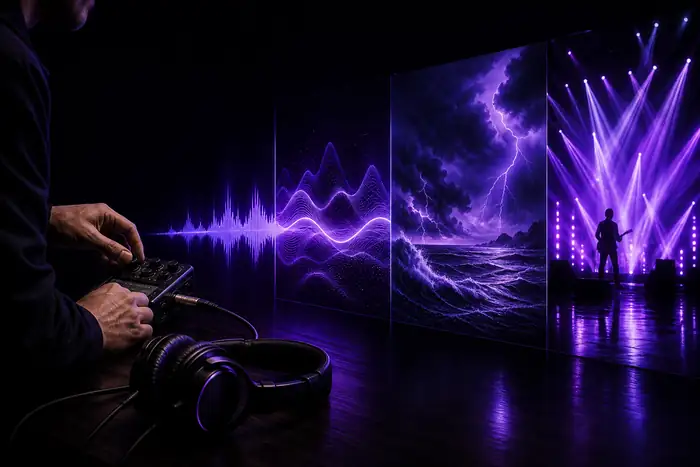
The audio remains the spine; the visual layer adds atmosphere, emphasis and a format that can travel across channels.
Connected workspace
Upload audio, describe the visual direction and choose the shape that fits the destination. Media.io keeps the audio-to-video pass focused instead of scattering it across separate tools.
For text-led scenes, compare media io text to video. For a still image that needs motion, use media io image to video; for an existing clip, media io video to video keeps the source frame in play.
Turn a strong exchange into a captioned social cut with a visual rhythm that follows the voices.
Shape spoken storiesGive a new track a visual identity before committing to a full music video production.
Animate cover artConvert narration into visual lessons, short explainers and memorable chapter openers.
Refresh existing videoStart with a voice note or rough recording, then move quickly toward a publishable direction.
Open the studioA repeatable pass
Troubleshooting
Most failed audio-to-video imports come from the source file, not the creative brief. These are the practical limits to check first.
A file extension may look familiar while its codec is not readable.
Workaround: export a standard MP3, WAV or AAC file.
A damaged recording gives the visual direction very little to follow.
Workaround: listen through the file before importing it.
Hours of audio can make the first visual pass unfocused and slow to review.
Workaround: trim a chapter, hook or highlight first.
Sound alone does not specify color, setting, subject or audience.
Workaround: add one sentence about the intended visual mood.
Quick estimate
Adjust the recording length to estimate file size, prep cost and review time saved.
Questions before importing
A few practical answers for turning sound into a focused visual draft.
Try the workflowFormat evolution
Creators begin treating sound as a starting signal for visual ideas.
Voice notes, songs and clips move into faster social formats.
Import, prompt, animate and refine happen in one creative surface.
Audio can guide not just timing, but the identity of the whole piece.