Privacy / creative workflows

A practical guide to media io privacy for creators.

This media io privacy guide separates the creative action from the information around it. Learn what to check before uploading a file, starting a generation, or carrying a draft into another workflow. The current Media.io privacy policy remains the source of truth for details that may change.

Start creating for free
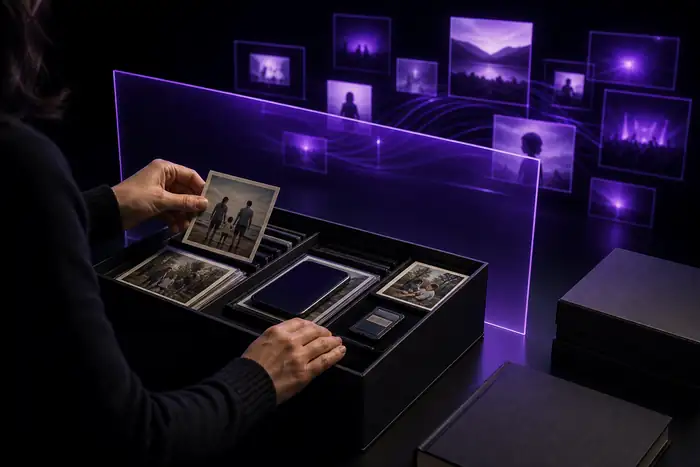
Abstract violet and cyan privacy illustration for a digital creative workspace.
Privacy / 01

Know the handoff before you make it.

Honest boundaries

How it used to be done

A privacy page cannot inspect your file

Policy language can explain collection and use, but it cannot tell you whether a particular image contains confidential names, faces, locations, or product details.

Workaround: remove hidden metadata and crop or replace sensitive material before upload.

A generated result is not a legal clearance

Privacy and rights are different questions. A tool may process your prompt while you still need permission to use a person’s likeness, a logo, or a third-party recording.

Workaround: keep releases, licenses, and source notes with the project.

This page cannot promise permanent retention rules

Storage, deletion, vendors, and processing purposes can change as a service evolves. A summary written today should not replace the live policy.

Workaround: review the linked policy again when a project is sensitive or long-running.

Privacy settings cannot fix an unsafe source asset

No setting can make an upload appropriate if you do not have authority to share it or if it exposes private information about another person.

Workaround: ask for consent and use a redacted, synthetic, or lower-risk reference.

A creator’s preflight

How it is done today

A sensible privacy routine is short: identify the asset, understand the purpose of processing, and decide whether the project can use a less sensitive input. This checklist keeps the decision visible without slowing down the creative pass.

  • Confirm that you own the upload or have permission to process it.
  • Remove private names, contact details, location clues, and embedded metadata where possible.
  • Read the current Media.io privacy policy for collection, use, retention, and deletion language.
  • Keep a local copy of important originals and final exports rather than relying on a web workspace.
  • Use a synthetic reference or placeholder when you are testing a concept rather than finishing a real campaign.
  • Record the date you reviewed the policy so collaborators know which guidance informed the upload.

Connected questions

What changed

Creative tools used to be judged mostly by output speed. Today, creators also ask where an upload travels, how long a draft remains available, and what responsibility stays with the person who supplied the source. That does not make every workflow risky; it makes the context part of the workflow.

If your main concern is general trust, read is media io safe for a separate overview. If you are minimizing account friction, the no-signup workflow is a related question, while the free image workflow explains a lower-commitment way to explore ideas.

The practical change is simple: treat prompts, references, exports, and policy text as one project record. Use the least sensitive asset that can answer the creative question, and return to the live policy when the project moves from experiment to publication.

A repeatable review

Who switched

The people who benefit most from a privacy-first creative habit are not one narrow type of user. They are anyone moving quickly between references, collaborators, and public-facing work.

  1. Prompt maker

    Start with the idea

    Write the concept without adding personal details that the visual does not need.

  2. Asset owner

    Check the source

    Confirm permission, remove unnecessary metadata, and choose a safer reference when possible.

  3. Project lead

    Record the decision

    Note what was uploaded, why it was needed, and which policy version was reviewed.

  4. Publisher

    Review the result

    Check faces, logos, voices, locations, and claims before the finished piece leaves the workspace.

Questions worth asking

Its own FAQ

Privacy answers depend on the current policy and the material you bring into a project. These are the practical questions to resolve before you create.

Look for the current explanations of information collected, how uploads and prompts are used, retention or deletion language, service providers, and the choices available to you. Those details matter more than a generic promise that a tool is private.
Only upload material you are authorized to share and comfortable processing under the current policy. For identity documents, private records, unreleased campaigns, or other sensitive material, use a redacted or synthetic reference instead.
Do not assume permanent storage or immediate deletion. Retention can depend on the product flow and the latest policy language, so review the current source and keep your own copies of important assets and exports.
Follow the request method described in the current Media.io privacy policy. If you need a deletion or access request, include enough information to identify the relevant account or material without sending additional sensitive files.

How the format got here

Privacy became part of the creative brief.

  1. Policy pages became a first stop

    Creators increasingly checked collection and retention language before sharing a reference asset.

  2. Uploads became part of the brief

    Teams began documenting where a source came from, who approved it, and how it could be reused.

  3. Synthetic references gained ground

    Placeholder images and redacted inputs became practical ways to test a direction without exposing a finished asset.

  4. Review travels with the project

    A clear record of the source, purpose, policy review, and final approval keeps creative momentum accountable.