01 / Parse
Scene parsing
The model reads the prompt for a subject, a location, a light direction, and a lens mood. It turns phrase-level details into a concrete visual layout before animation begins.
Media.io / AI video generator
The Media.io AI video generator turns a short written direction into a usable motion clip: describe the scene, choose a format, and let the model handle the first pass.
You do not need a storyboard, a shoot, or a rough cut. A single prompt that names the subject, setting, and mood is enough for the generator to propose a frame. If the frame feels right, the same prompt becomes the foundation for camera movement, timing, and atmosphere. This is the shortest path from idea to footage the Media.io studio offers.
The AI video generator inside Media.io works like a small production pipeline. Three connected mechanisms decide what a clip shows, how it moves, and whether it feels stable across frames.
The model reads the prompt for a subject, a location, a light direction, and a lens mood. It turns phrase-level details into a concrete visual layout before animation begins.
From the parsed scene, the generator estimates the natural movement of people, objects, and the camera. The result is a clip that feels like a real take rather than a sliding still.
A short video only works if the first frame and the last frame belong to the same world. The generator keeps skin tone, texture, and lighting coherent across the whole motion pass.
Four steps take you from an empty canvas to a clip you can import, subtitle, or place into a longer edit.
Write a prompt that includes subject, setting, camera angle, and lighting — for example: “a barista pours coffee at golden hour, close-up, shallow depth of field.”
Pick a 16:9, 1:1, or 9:16 frame and let the preset guide how much camera drift, subject movement, or speed the clip should have.
The first pass gives you a usable draft. If a detail is off, change the prompt, not the whole plan; the rest of the scene stays intact.
Trim the head and tail, add captions or a sound layer, and export the clip for the platform you are creating for.
Who uses this flow
Needs b-roll for a 30-second story without leaving the edit suite. A generated cinematic insert can be dropped into a draft in minutes.
Trim it in the media io video editorHas a product still or a campaign reference but no moving footage. The prompt-based video pass adds energy without a full reshoot.
Start from a media io image generator frameWants a visualizer that follows a track’s mood and color. A short generated clip can become the core of a lyric or audio-led piece.
Pair it with the media io music generatorShows a concept episode to a collaborator. The generator produces rough scenes fast, which makes feedback concrete and useful.
See the media io text to video routeThe Media.io AI video generator is fast, but it is not a replacement for a full production pipeline. Knowing where the edges are helps you plan around them.
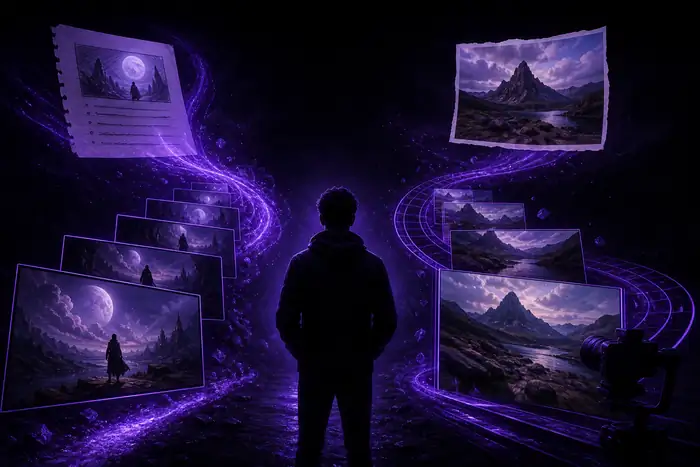
One clear direction becomes a scene with time, depth, and atmosphere. The first loop usually sets the direction; further passes refine speed and framing.
Fingers, hair, and fast-moving limbs can blur or flicker when the model predicts complex motion.
Use a shorter clip or a less extreme motion profile for those moments.
You get direction-level control, not frame-by-frame keyframes. Exact camera moves are harder to request than in a traditional editor.
Generate a few takes, then pick the strongest camera move rather than trying to correct it in post.
A single prompt is built for one scene or one transition, not a full multi-scene film.
Cut the project into one scene per generation and link the scenes in the media io video editor.
Small readable text, logos, and tiny objects may not resolve cleanly at common video sizes.
Generate the visual without text, then add captions in the editor.