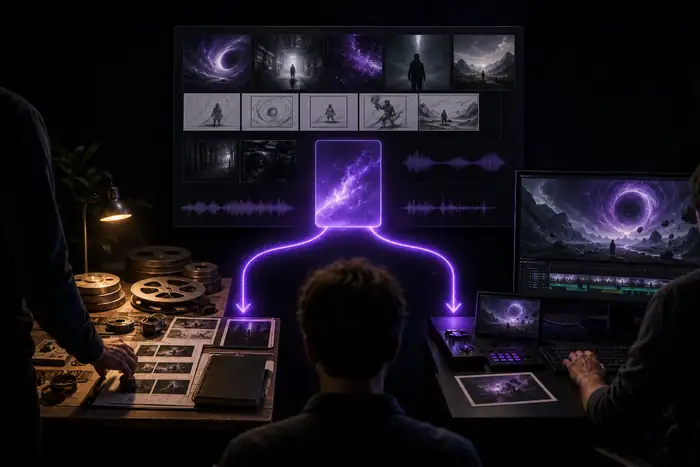
This media io vs capcut comparison looks past feature lists and focuses on the decisions that affect a real project: what you pay, how the finished work feels, how quickly you can reach a usable draft, and when changing tools is actually worth the effort.
The total cost of a video editor includes more than the subscription line. Media io and CapCut can both offer accessible entry points, but the better value depends on whether you need AI generation, fast social assembly, reusable assets, or a connected path from idea to output.
Side-by-side comparison of Media.io and CapCut costs and workflow factors.
Cost factor
Media.io
CapCut
Starting access
Yes — free workflows can help test an idea.
Yes — accessible for quick editing and social drafts.
AI generation
Yes — useful when the starting point is a prompt or reference.
Yes — availability varies by tool, region, and account state.
Template-led editing
Yes — stronger when exploration comes before assembly.
Yes — a clear advantage for repeatable short-form formats.
Export economics
Check current limits, resolution, credits, and watermark rules for the chosen workflow.
Check current limits, resolution, premium effects, and export conditions before delivery.
Asset reuse
Yes — designed for carrying a direction across media types.
Yes — efficient when the footage and edit already exist.
Learning overhead
Lower when the goal is prompt-led creation; higher when you need precise traditional edits.
Lower when the goal is a familiar timeline, templates, captions, or effects.
One-tool coverage
Yes — video, image, audio, and AI-led directions can sit in one flow.
Not always — some idea-development steps may happen elsewhere.
C2 / Output quality
Where quality differs
In a CapCut comparison, quality is not one universal score. CapCut is often persuasive when the footage, beat, captions, and format are already known. Media io is more useful when quality starts with a visual direction that still needs to be discovered, tested, and carried into motion.
Best fit / generative direction
Media.io
Wins for exploration
Media io has the clearer quality advantage when the brief is still visual: mood, characters, scenes, product atmosphere, or a music-led world.
Moves from a rough prompt to multiple visual routes.
Supports a broader idea-to-image-to-video handoff.
Helps establish a consistent style before editing.
Generative results still need selection and refinement.
Best fit / social assembly
CapCut
Wins for finishing
CapCut can feel sharper when your creative decisions are already made and the task is to cut, caption, time, format, and publish efficiently.
Provides a familiar route for clips, transitions, and captions.
Works well for quick vertical edits and trend-aware formats.
Lets an editor make precise timing changes directly.
May require another tool when the visual concept is not formed.
If you are also considering media io vs canva, use the same test: decide whether the hard part is inventing the visual or assembling the final post.
C3 / Workflow speed
Where time differs
Speed depends on where a project begins. CapCut can reduce time after footage is available, while Media io can reduce the blank-page stage by turning a written brief into visual options. The fastest route is the one that removes the largest bottleneck in your own process.
When the idea is still abstract
Then: start in Media.io. Why: prompt-led exploration can produce a direction before you spend time gathering or editing footage.
Useful for moodboards, story beats, and visual references.
Reduces repeated searches for the right starting frame.
When the footage is ready
Then: CapCut may be faster. Why: a direct editing surface is efficient for arranging clips, adding text, matching a beat, and exporting a social version.
Useful for known formats and repeatable posting habits.
Reduces friction between rough cut and publishable cut.
When the project has both needs
Then: use a handoff. Why: Media io can shape the visual concept, while CapCut can handle the final social edit if that division matches your team.
Useful when ideation and publishing are separate jobs.
Preserves speed without forcing one tool to do everything.
C9 / Creative handoff
When switching is worth it
Switching from CapCut to Media.io is worth testing when your process repeatedly stalls before the edit: you have a product but no campaign angle, a track but no visual language, or a script that needs scenes before it needs trimming. Staying with CapCut makes sense when the brief is settled and the main job is fast assembly.
direction shift
Starting brief / choose the route
Finished direction / shape the output
This pair is illustrative rather than a benchmark: the useful question is whether your next project needs more invention or more precise editing.
No CapCut comparison is complete without the tradeoffs. Media io is not a replacement for every timeline task, and CapCut is not a complete answer for every generative brief. These limits help set a realistic expectation before you move a project.
Not a substitute for frame-by-frame finishing
AI-led workflows can help create the direction, but exact timing, masking, keyframes, and detailed cleanup may still belong in a conventional editor.
Workaround: export the strongest material and finish the final precision pass where your team is fastest.
Results need human selection
Media io can shorten the search for a visual idea, but the first generation is not automatically the right one for a brand, story, or audience.
Workaround: define a visual reference, generate variations, and keep a clear review step before editing.
Features can change by route
Available models, export limits, templates, and AI functions may vary by tool, region, device, or account state in both products.
Workaround: verify the exact workflow and export settings on a small test project first.
One tool may not fit every team
A solo creator, social editor, marketer, and motion designer can measure speed differently even when they use the same files.
Workaround: choose the handoff that removes the largest bottleneck instead of forcing a universal switch.
Final questions
Comparison FAQ
Neither is universally better. Media.io is a stronger fit when you need to explore scenes, images, AI video, sound, or a connected creative direction. CapCut is often more direct when the assets are ready and the priority is a fast social edit.
The easier option depends on the first task. A beginner with only an idea may find Media.io more approachable because a prompt gives the project a starting direction. A beginner with footage and a known format may find CapCut's edit-first workflow more familiar.
It can replace CapCut for some prompt-led, image-led, and AI video projects, but not every detailed timeline workflow. If your work depends on precise manual edits, compare one representative project before changing your whole process.
Using both can be practical when Media.io handles concept development and CapCut handles the final short-form assembly. Keep the handoff simple, test export quality, and only retain the second step if it removes more work than it adds.