Social editor
Refresh a proven hook.
Keep the timing of a strong short-form clip while testing a more distinctive color world.
See media io text to videoFormat / motion transfer
Video to video starts with footage you already have and gives it a new visual direction. Media.io helps you test atmosphere, pacing and style without rebuilding the entire concept from zero.
What this variant is
A video to video workflow transforms an existing clip rather than asking AI to invent every frame from a sentence. That makes it useful when the movement, blocking or timing already works, but the visual treatment needs a new pass.
Use Media.io for a stylized re-light, a genre shift, a new texture or a stronger social look. When the source is only a still frame, media io image to video is the closer starting point. For a written scene, media io text to video begins with language instead.
Format snapshot
| Attribute | Source clip | Video to video output |
|---|---|---|
| Starting material | Existing video | Existing video plus direction |
| Motion reference | Original movement | Influenced by source |
| Prompt control | Not required | Style and scene cues |
| Frame consistency | Baseline identity | Best with clear footage |
| Audio treatment | Can remain separate | Review after rendering |
| Best use | Proven timing | Controlled restyling |
| Main risk | Limited variation | Fast motion may drift |
Why A → B
The source carries practical information: where the subject moves, how long a beat lasts and what the camera is doing. The transformation can then spend more attention on the look.
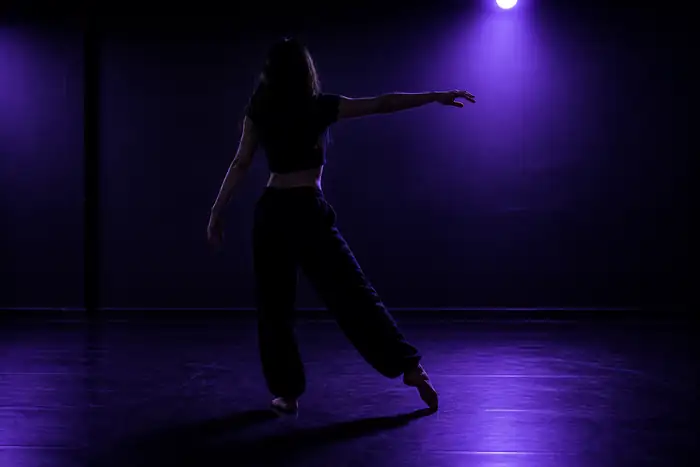
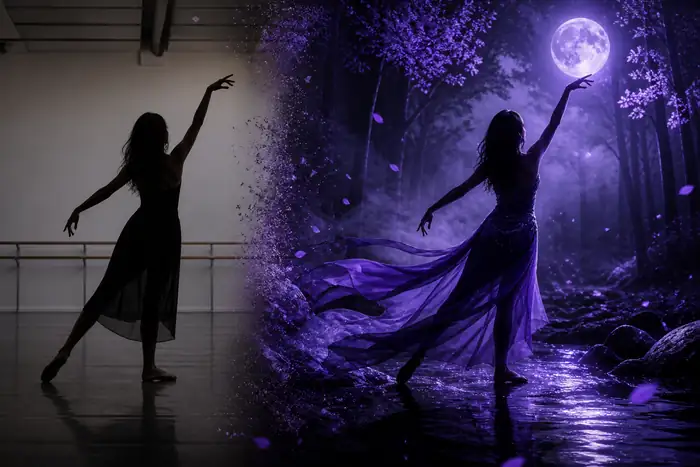
A good A-to-B pass preserves the useful structure while changing the atmosphere. Keep the source clip legible, describe the intended change precisely and judge the result as a new take, not a perfect duplicate.
The tool block
Use a short direction to tell Media.io what should change, then compare versions before committing to a longer edit.
Social editor
Keep the timing of a strong short-form clip while testing a more distinctive color world.
See media io text to videoMotion designer
Use a blocking test as a base for painterly, graphic or cinematic variations.
Try media io image to videoBrand team
Build alternate campaign directions without losing the product action that already reads.
Use media io audio to videoIndependent creator
Start with footage from a phone or webcam, then make the visual language feel intentional.
Open the creative workspaceFormat evolution
The route has moved from simple visual filters toward guided transformations that preserve useful motion while opening more creative options.
Creators began using source clips to anchor movement instead of describing every action.
Prompt language became more useful for lighting, texture, palette and genre shifts.
Video to video now sits beside text, image and audio routes in a connected creative pass.
The practical goal is clearer control over identity, motion and continuity between takes.
Variant FAQ
A clear source clip and a focused instruction usually matter more than adding a long list of visual adjectives.
Rapid cuts, blurred hands or crowded action may change shape between frames.
Workaround: begin with a shorter, cleaner segment.
Faces, logos and small product details can shift during a strong restyle.
Workaround: use clear source frames and inspect key moments.
A visual transformation does not mean the new take has perfectly aligned sound.
Workaround: review sync and finish audio after selecting the visual.
Long sequences create more opportunities for lighting, texture or background changes.
Workaround: work in purposeful shots and assemble the strongest results.
A simple first pass
Keep the first experiment focused: one usable clip, one clear transformation and one deliberate review.
Upload a clip whose movement, subject or timing is already worth keeping.
Describe the new palette, atmosphere, material or genre in plain language.
Check identity, motion and continuity before moving the result into your final edit.